【Linux】Nginx安装
安装
下载包体
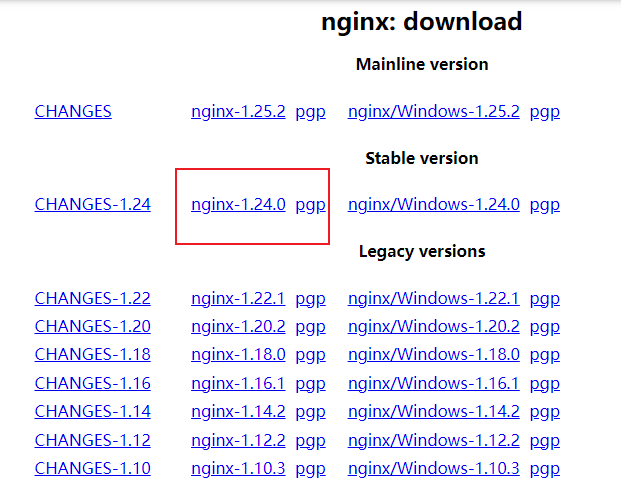
上传解压
tar -zxvf nginx-1.24.0.tar.gz
编译
./configure --prefix=/usr/local/nginx --with-http_stub_status_module --with-http_ssl_module
make
make install
在执行
./configure时如果出现报错缺少对应的模块,则安装对应的模块,详情可见最后的常见问题
缺少PCRE,安装命令:
sudo apt install libpcre3 libpcre3-dev
缺少SpenSSL,安装命令:
sudo apt install libssl-dev


环境配置
设置快捷键
ln -s /usr/local/nginx/sbin/nginx /usr/bin/nginx
这样执行/usr/bin/nginx就相当于执行了/usr/local/nginx/sbin/nginx
而/usr/bin/是全局可用的,所以在任何地方输入nginx都可以执行/usr/lcoal/nginx/sbin/nginx
使用下面命令实时查看log更新
1 | less +F access.log |
常见问题
需要安装PCRE开发库
1
2
3
4
./configure: error: the HTTP rewrite module requires the PCRE library.
You can either disable the module by using --without-http_rewrite_module
option, or install the PCRE library into the system, or build the PCRE library
statically from the source with nginx by using --with-pcre=<path> option.解决方案:
1
2
3
4
5
6
7
8
# Ubuntu/Debian
sudo apt update
sudo apt install libpcre3 libpcre3-dev
# CentOS/RHEL/Fedora
sudo yum install pcre pcre-devel
# 或
sudo dnf install pcre pcre-devel需要安装OpenSSL开发库
1
2
3
4
./configure: error: SSL modules require the OpenSSL library.
You can either do not enable the modules, or install the OpenSSL library
into the system, or build the OpenSSL library statically from the source
with nginx by using --with-openssl=<path> option.解决方案:
1
2
3
4
5
6
7
8
# Ubuntu/Debian
sudo apt update
sudo apt install libssl-dev
# CentOS/RHEL/Fedora
sudo yum install openssl openssl-devel
# 或
sudo dnf install openssl openssl-devel如果在访问不了网站,并且error.log出现权限不足(Permission denied)的问题,需要从两个地方排查
- 在启动nginx时需要用root权限
sudo nginx - 配置文件中的
#user nobody;改为user ubuntu。去掉#,将ubuntu改为当前用户名
- 在启动nginx时需要用root权限